Source from — or screen out — specific employers
Target clinicians at competitor clinics, or exclude employers you can't recruit from.
Employer filters let you point a search at the clinicians who work where you want to recruit from — or keep out the ones you can't touch, like your own current staff.
Open the Employment filters
In Search, click the Employment filters button (briefcase icon) in the toolbar. Employer targeting lives here, alongside work setting and experience.
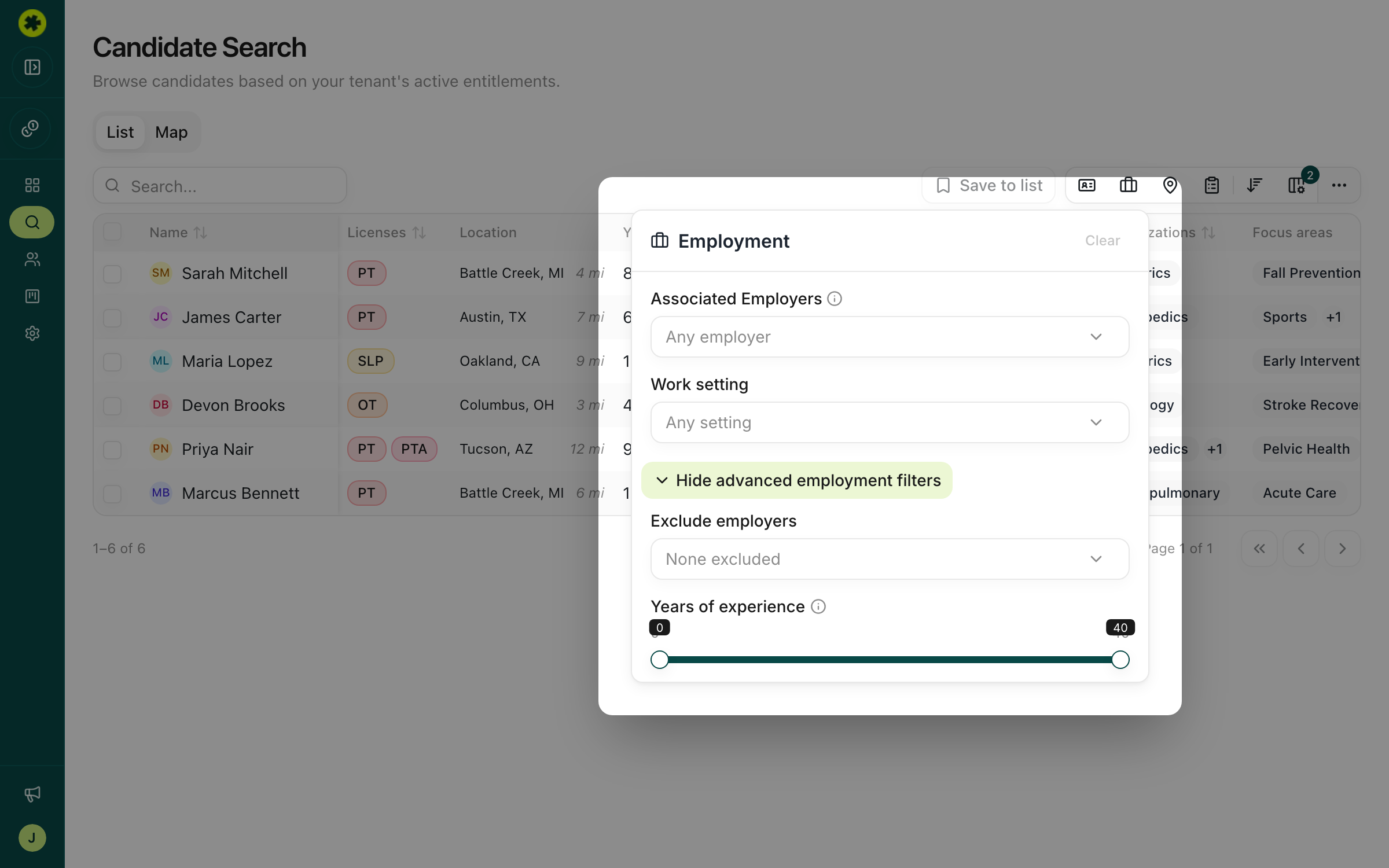
Source from specific employers
Use Associated Employers to include only clinicians linked to the employers you name. Start typing an employer (for example a competitor clinic) and select it; add as many as you like. A candidate matches if that employer appears anywhere in their known work history.
Screen out employers you can't recruit from
Use Exclude employers to remove clinicians tied to certain employers — most commonly your own clinics, so you don't surface people you already employ. Anyone associated with an excluded employer drops out of the results.
Tip: Employer filters stack with everything else. Pair "Associated Employers = [competitor]" with a license and geography filter to get, say, PTs at a competitor within 25 miles of your clinic.
Troubleshooting
Can I exclude people who only worked somewhere in the past?
Employer filters match a candidate's associated employers (their known work history as a whole), so they don't distinguish "used to work here" from "works here now." Filtering strictly on a past-only employer isn't supported yet.
A candidate I excluded is still showing up.
They're likely linked to more than one employer, or the underlying license/source data lags a recent job change. Employer is a strong signal, not a guarantee.
Related articles
Search for clinicians in your market
Build a targeted search by location, license, specialty and experience to surface the clinicians who fit your role.
Managing ProspectsBuild a shortlist of candidates to pursue
Save candidates from your search into a named list — one list or several — with duplicates handled automatically.