Save searches you run often
Save a filter set as a preset so you can re-run a recurring search without rebuilding it.
If you run the same kind of search week after week — "active PTs in California," "home health in your metro" — save it once as a preset and reload it in a click instead of rebuilding the filters every time.
Save your current filters
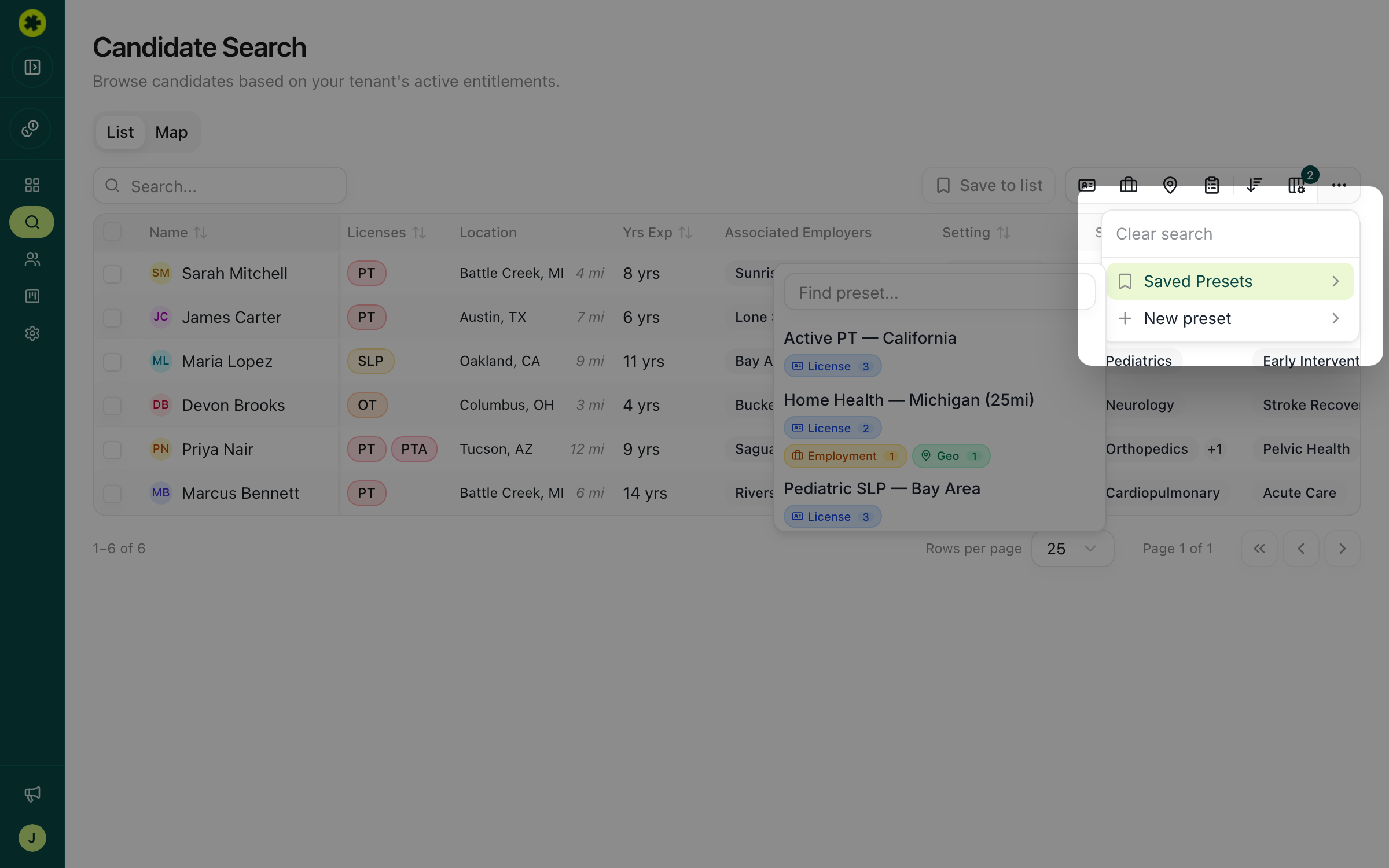
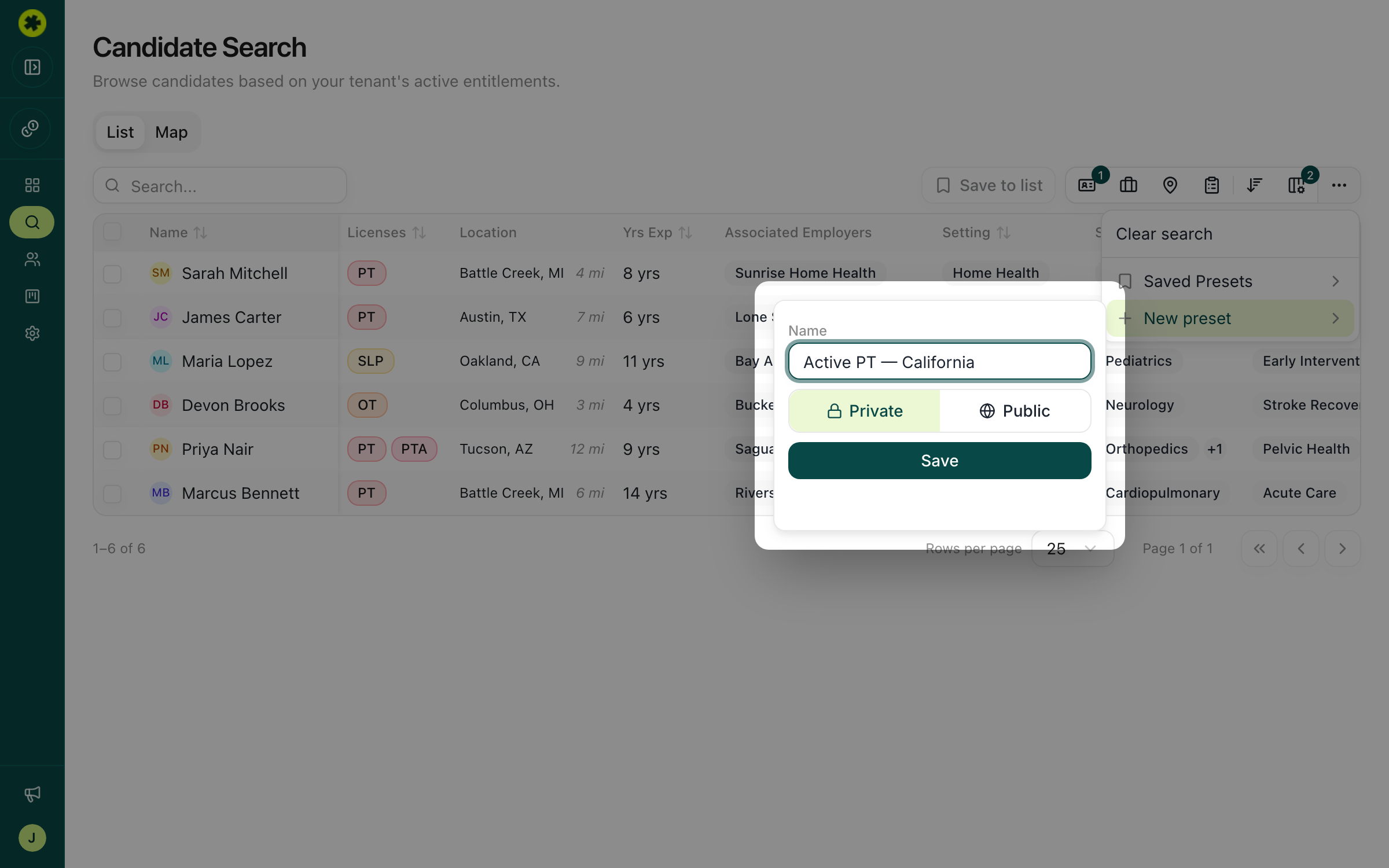
Set up a search the way you want it, then click the Search presets (···) button in the toolbar. The badge on it shows how many filters are currently active. Choose New preset, give it a clear name (for example "Active PT — California"), and save.
Reload a saved search
Open the Search presets menu again and pick a preset under Saved Presets. Its filters are applied to your search immediately, and the results refresh.
Tip: Name presets by what they target — role, location, and any key filter — so they're easy to recognize later, e.g. "Pediatric SLP — Bay Area."
Troubleshooting
My preset didn't include the filters I expected.
A preset captures whichever filters are active at the moment you save it. If you tweak a search later, save it again (as a new preset, or a differently named one) to capture the change.
I don't see a teammate's preset.
Presets are tied to the person who created them, so you won't see everyone's saved searches by default. Rebuild the search yourself and save your own preset.